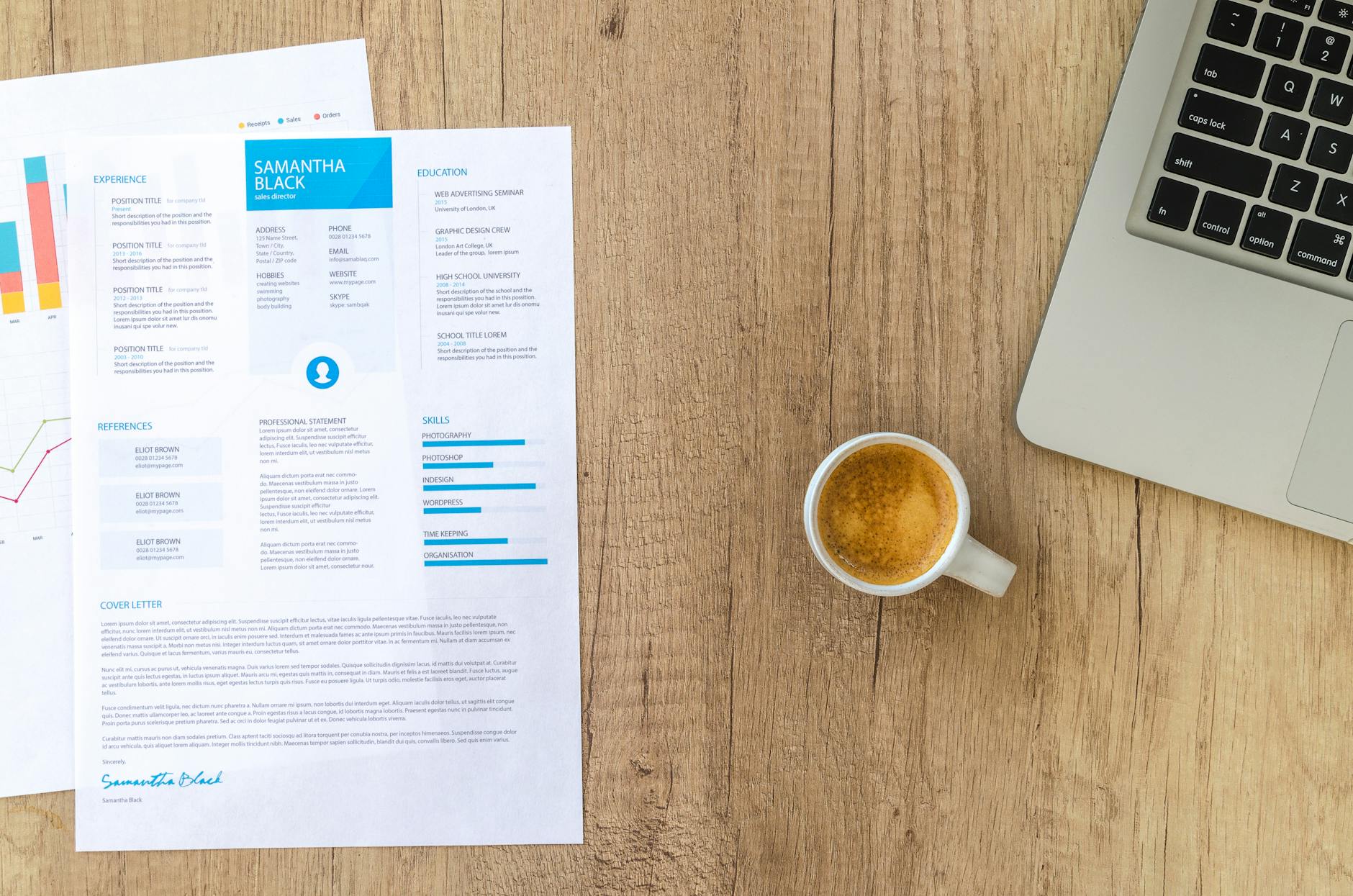
Table of Contents
- In This Guide
- Understanding Modern Resume Template Requirements
- ATS-Optimized Resume Template Features
- Resume Templates for Career Changers
- Industry-Specific Templates for Remote Work
- Resume Templates for Recent Graduates
- Freelancer and Gig Economy Resume Templates
- Download Options: Word, Canva, and Free Alternatives
- Resume Template Word Options
- Resume Template Canva Solutions
- Free Download Alternatives
- Template Customization Best Practices
- Resume Template With Photo Considerations
- Measuring Template Effectiveness
- Common Template Mistakes to Avoid
Executive Summary: In 2026’s competitive job market, having the right resume template can determine whether your application gets noticed or filtered out by applicant tracking systems. Our guide covers ATS-optimized templates for career changers, remote workers, recent graduates, and freelancers, with downloadable options in Word and Canva formats.
In This Guide
- Essential resume template features for 2026
- ATS-optimized resume templates and formatting
- Industry-specific templates for remote positions
- Career changer resume templates with transferable skills
- Graduate-friendly templates for minimal experience
- Freelancer and gig economy resume formats
- Download options: Word, Canva, and free alternatives
- Template customization best practices
Understanding Modern Resume Template Requirements
Modern resume templates must balance visual appeal with technical compatibility. In 2026, approximately 73% of companies use applicant tracking systems to screen applications before human review. This means your resume template needs to perform well with both software and hiring managers.
Successful resume templates share several critical characteristics. They use standard fonts like Arial, Calibri, or Times New Roman to ensure ATS readability. Header information appears in a simple, linear format rather than complex columns or graphics. Contact details are placed prominently at the top without embedding them in headers or footers where ATS software might miss them.
The most effective templates also incorporate strategic white space and consistent formatting. Bullet points use standard symbols (• or -) rather than custom graphics. Section headers are clearly labeled with conventional terms like “Work Experience,” “Education,” and “Skills” rather than creative alternatives that confuse parsing software.
Key Takeaway: Your resume template choice directly impacts whether you pass initial ATS screening, making technical compatibility as important as visual design.
ATS-Optimized Resume Template Features
ATS-compatible templates prioritize clean formatting and standard document structure over elaborate design elements. These systems scan for specific keywords, parse section headers, and extract relevant information to create searchable candidate profiles.
Essential ATS optimization features include single-column layouts that prevent parsing errors, standard section headers in consistent formatting, and chronological work history presentation. Avoid tables, text boxes, graphics, or images that can confuse scanning software. Headers and footers should contain minimal information since many ATS platforms ignore these areas entirely.
File format matters significantly for ATS compatibility. While PDF files maintain formatting consistency, some older ATS versions struggle with PDF parsing. Word documents (.doc or .docx) offer the highest compatibility rate across different systems. When downloading free resume templates, prioritize those specifically labeled as ATS-friendly or ATS-optimized.
Keyword optimization within your template structure is equally important. The Bureau of Labor Statistics projects continued growth in automated screening technologies, making keyword-rich content essential for initial filtering stages.
Key Takeaway: ATS optimization requires sacrificing some visual creativity for technical functionality, but this trade-off significantly improves your chances of human review.
Resume Templates for Career Changers
Career transition resume templates emphasize transferable skills and relevant accomplishments rather than chronological work history. These functional or combination-style formats help pivot professionals highlight applicable experience while minimizing industry-specific gaps.
Effective career changer templates feature prominent skills sections near the top, organized by relevant categories like “Project Management,” “Data Analysis,” or “Client Relations.” Work experience sections focus on accomplishments and transferable responsibilities rather than job titles or company details. Education and certification sections receive enhanced prominence, especially for recently completed relevant training.
The transferable skills section becomes your primary selling tool in career transition templates. Structure this area with specific examples demonstrating how previous experience applies to your target role. Instead of generic skill lists, use achievement-focused bullet points showing measurable results from transferable competencies.
Additional sections like “Relevant Projects,” “Volunteer Experience,” or “Professional Development” can bridge experience gaps effectively. These templates often include brief professional summaries explaining career transition motivations and highlighting relevant qualifications for the new field.
Industry-Specific Templates for Remote Work
Remote work resume templates highlight digital collaboration skills and location-independent achievements. These specialized formats address the unique requirements of distributed teams and virtual workplace environments.
Remote-focused templates emphasize technology proficiency, communication skills, and self-management capabilities. Skills sections prominently feature collaboration tools like Slack, Zoom, Asana, or Trello alongside traditional technical competencies. Work experience descriptions highlight remote project management, virtual team leadership, and digital communication successes.
Location flexibility becomes a key selling point in these templates. Contact information sections may include phrases like “Open to Remote Work” or “Available for Global Collaboration.” Achievement statements emphasize results delivered across time zones, virtual project completions, and distributed team contributions.
Additional sections might include “Remote Work Experience,” “Digital Certifications,” or “Virtual Collaboration Tools” to demonstrate specific remote work readiness. These templates often feature slightly more modern design elements since remote-first companies typically use current ATS technologies with better parsing capabilities.
Resume Templates for Recent Graduates
Graduate resume templates maximize limited work experience by emphasizing education, projects, and potential rather than extensive career history. These formats help new professionals present academic achievements and internship experience as valuable qualifications.
Education sections receive top billing in graduate templates, featuring relevant coursework, academic projects, honors, and GPA (if 3.5 or higher). Work experience includes internships, part-time positions, and work-study programs with emphasis on learning outcomes and skill development rather than seniority or extensive responsibilities.
Project sections become crucial differentiators for graduates. Whether academic capstone projects, research initiatives, or personal coding projects, these demonstrate practical application of theoretical knowledge. Include specific technologies used, problems solved, and measurable outcomes when possible.
Extracurricular activities, volunteer work, and leadership roles help fill content gaps while showcasing soft skills valued by employers. Graduate templates often include “Relevant Coursework” or “Academic Projects” sections that working professionals would omit.
Freelancer and Gig Economy Resume Templates
Freelancer resume templates organize diverse project experience into coherent career narratives that demonstrate consistent value delivery. These formats address the unique challenge of presenting multiple clients and varied project types as professional stability.
Client work organization becomes the primary structural challenge for freelancer templates. Instead of traditional employer listings, these templates group projects by skill area, industry focus, or client type. Each project entry includes client context, project scope, technologies used, and measurable results delivered.
Skills sections in freelancer templates often feature more technical detail since independent contractors must demonstrate specific competencies without corporate training support. Portfolio links, client testimonials, or project showcases receive prominent placement to provide verification of claimed capabilities.
Business development skills like client acquisition, project management, and independent problem-solving receive emphasis alongside technical competencies. These templates may include sections like “Key Client Projects,” “Freelance Achievements,” or “Independent Consulting Experience” to frame gig work professionally.
Download Options: Word, Canva, and Free Alternatives
Multiple download formats ensure compatibility across different editing preferences and technical skill levels. Understanding each platform’s strengths helps you choose the most appropriate template source for your needs.
Resume Template Word Options
Microsoft Word remains the gold standard for resume template word free download options due to universal compatibility and ATS optimization. Word templates offer precise formatting control, easy customization, and reliable file sharing capabilities. Most employers can open and review Word documents without compatibility concerns.
Word’s built-in resume templates provide solid starting points, though many appear generic due to widespread usage. Third-party Word-compatible templates offer more unique designs while maintaining technical compatibility. When selecting resume template Word options, prioritize those with clear formatting and minimal graphics.
Resume Template Canva Solutions
Canva democratizes professional design for users without graphic design experience. Resume template Canva options excel in visual appeal and brand consistency, making them ideal for creative industries or personal branding initiatives. However, Canva templates require careful ATS testing since design-forward layouts may cause parsing issues.
Canva’s collaboration features benefit team-based application processes or career counseling scenarios. The platform’s extensive template library includes industry-specific options and modern design trends. Export options include PDF and PNG formats, though Word export maintains better ATS compatibility.
Free Download Alternatives
Simple resume template free download options often provide the best ATS compatibility while minimizing cost barriers. Government career centers, university career services, and nonprofit organizations offer professionally designed templates without usage restrictions.
Reddit communities like r/resumes frequently share user-tested templates with community feedback on effectiveness. These resume template reddit discussions provide real-world usage data and ATS testing results from actual job seekers. However, verify template currency since job market requirements evolve rapidly.
Library career centers and workforce development agencies typically offer download free resume templates specifically tested with local employer ATS systems. These resources often include customization guidance and local market insights.
Template Customization Best Practices
Effective template customization balances personal branding with industry expectations while maintaining ATS compatibility. The goal is creating a distinctive yet professional presentation that survives automated screening.
Font selection significantly impacts both readability and ATS parsing. Stick to standard options like Arial, Calibri, Times New Roman, or Georgia in 10-12 point sizes. Avoid decorative fonts or unusual spacing that might confuse scanning software. Consistent formatting throughout the document ensures professional appearance and parsing reliability.
Color usage requires careful consideration in modern templates. While subtle color accents can enhance visual appeal, ensure adequate contrast for readability and consider that many ATS systems strip color entirely. Black text on white background remains the safest choice for maximum compatibility.
Personalization should focus on content rather than dramatic formatting changes. Customize section headers to match your industry’s terminology, adjust skill categories for role relevance, and modify achievement statements for target position alignment. This approach maintains template functionality while creating personalized presentation.
Resume Template With Photo Considerations
Resume template with photo options require careful evaluation of industry norms and legal considerations. While common in some international markets, photo resumes face restrictions in many U.S. industries due to discrimination prevention measures.
Some creative industries, international companies, or specific roles may expect photo inclusion. However, most traditional U.S. employers prefer text-only formats to avoid unconscious bias in initial screening stages. ATS systems also struggle with image processing, potentially causing parsing failures.
If your industry expects photos, choose templates with dedicated photo spaces rather than adding images to text-based formats. Ensure photos appear professional, current, and appropriate for your target industry’s dress code expectations.
Measuring Template Effectiveness
Template success measurement requires tracking application outcomes and adjusting based on response patterns. Different industries and company sizes may respond differently to various template styles.
Monitor application-to-interview ratios across different template versions to identify most effective formats. A/B testing different templates for similar positions can reveal preferences within your target market. Document which templates generate callbacks and which result in silence.
ATS testing tools and services can verify whether your chosen template parses correctly across different systems. Some career centers offer ATS testing services, or you can use online parsing tools to check formatting compatibility.
Regular template updates ensure continued relevance as ATS technologies and design trends evolve. What worked effectively in previous job searches may need refreshing for current market expectations.
Common Template Mistakes to Avoid
Frequent template errors can eliminate otherwise qualified candidates during initial screening stages. Understanding these pitfalls helps you select and customize templates more effectively.
Overcomplicating design often backfires in ATS environments. Tables, text boxes, graphics, and unusual formatting may look impressive but frequently cause parsing errors. Simple, clean layouts consistently outperform elaborate designs in automated screening processes.
Generic content that fails to match specific job requirements reduces template effectiveness regardless of design quality. The most beautiful template cannot compensate for irrelevant skills listings or mismatched experience presentations.
Ignoring industry-specific expectations can hurt your candidacy even with perfect formatting. Conservative industries prefer traditional layouts, while creative fields may expect more design-forward presentations. Research your target industry’s norms before selecting templates.
Key Takeaway: Template selection and customization should prioritize function over form, ensuring your qualifications reach human reviewers through effective ATS navigation.
Further reading: See LinkedIn Talent Blog, and BLS Occupational Outlook Handbook.
Frequently Asked Questions
What is resume template?
A resume template is a pre-designed document structure that provides formatting, layout, and section organization for job applications. Templates typically include designated areas for contact information, work experience, education, and skills. Microsoft Word offers over 50 built-in resume templates, while platforms like Canva provide hundreds of customizable options.
How does resume template work?
Resume templates work by providing standardized formatting that users fill with personal information. The template maintains consistent fonts, spacing, and alignment automatically. For example, when you enter job titles in a template’s experience section, it applies uniform formatting like bold headers and bullet points, ensuring professional presentation without manual design work.
Why does resume template matter in 2026?
Resume templates matter in 2026 because 75% of resumes are initially screened by Applicant Tracking Systems (ATS) that parse structured content. Well-designed templates ensure proper formatting for ATS compatibility while maintaining visual appeal for human reviewers. Templates also save time in competitive job markets where quick application turnaround is crucial.
What are common resume template mistakes to avoid?
Common resume template mistakes include using overly creative designs that confuse ATS systems, cramming too much text into small spaces, and choosing templates with poor font readability. For instance, using decorative fonts like Papyrus can make resumes unreadable. Additionally, templates with graphics or tables often cause parsing errors in applicant tracking systems.
Related reading: Resume Templates 2026: Free Downloads &.
Related reading: Best Resume Builder Tools & Software.